What is Traffitech-GH: Check, Pay or Contest Traffic Fines in Ghana
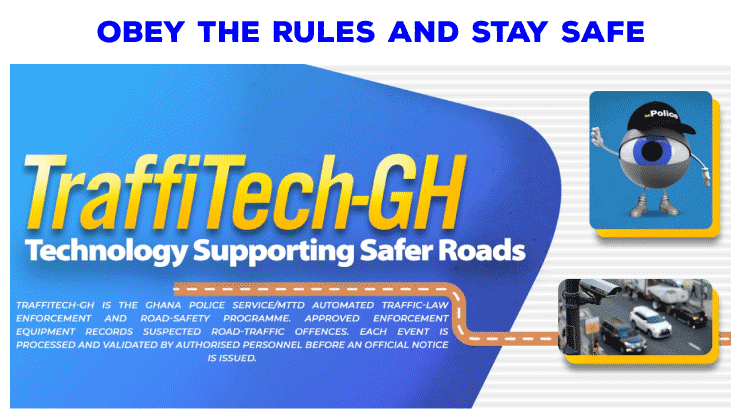
To check for an outstanding Traffitech-GH fine in Ghana, dial *220#. If you receive a notice, check the evidence through the official portal before paying or starting any money. The Ghana Police Service gives motorists 14 days from the notice's issue date to begin a contest, and a 14-day payment period.
A police officer does not have to stop you for a traffic offence to be recorded.
Traffitech-GH enforcement began on 1 November 2026, with speeding as the initial focus. Cameras can capture the offence, and an electronic notice can be sent to the registered vehicle owner's phone. The Ghana News Agency's rollout report confirms the launch.
Traffitech-GH Shortcodes and Official Website
| What you want to do | Official channel |
|---|---|
| Check outstanding traffic fines | Dial *220# |
| View evidence or pay online | traffitech-ghpay.nib.com.gh |
| Pay using USSD | Dial *710*0# and select option 6 |
| Check motor insurance | Dial *920*57# |
| Get Traffitech-GH assistance | Call 059 692 2402 |
| Report a suspicious message | Call the Police on 191 or 18555 |
What Is Traffitech-GH?
Traffitech-GH is the Ghana Police Service's automated traffic enforcement system.
It uses cameras, sensors and other equipment to record traffic offences. Police review the evidence before issuing an Electronic Notice of Violation, usually shortened to ENV.
The system covers different vehicle classes, including private cars, taxis, trotros, motorcycles, tricycles, trucks and commercial buses.
Officers can also record offences during roadside checks using handheld devices.
Which Traffic Offences Does It Cover?
The initial rollout focuses on speeding. The wider list published by the Police includes:
- Speeding
- Running a red light
- Using a vehicle with an expired roadworthiness certificate
- Wrongful overtaking
- Not wearing a seatbelt
- Driving with an expired licence
- Driving an uninsured vehicle
- Misusing a siren
These offences are not all detected in the same way.
Cameras and speed-measuring equipment record offences such as speeding, while officers can use handheld devices to record other violations.
The Police FAQ also says that separate offences can receive separate ticket numbers, even when they are recorded during the same incident. Do not assume that paying one ticket clears every outstanding fine.
What Are the Speed Limits in Ghana?
The Police list the following general limits in their speed-limit guidance:
| Road or surrounding area | General speed limit |
|---|---|
| Schools, markets, places of worship and other areas with predominant human activity | 30 km/h |
| Urban or built-up areas | 50 km/h |
| Highways | 90 km/h |
| Motorways | 100 km/h |
Follow the limit applicable to your vehicle and the road you are using. Watch for posted signs and changes in the surroundings, and reduce your speed when traffic, weather or visibility requires it.
For example, do not assume that a highway limit continues unchanged through a busy settlement.
The Police also say that the absence of a warning sign about an enforcement camera does not invalidate a recorded offence.
Who Receives the Traffic Fine Notice?
For a camera-detected offence, the ENV goes to the registered vehicle owner. If an MTTD officer stops a driver and records the offence using a handheld device, the driver may receive the notice directly.
This matters if someone else drives your car, or if you have sold it. According to the Police's vehicle-ownership guidance, the registered owner remains responsible for camera-detected notices until the ownership and contact records are updated with the DVLA.
If you sell a vehicle, complete the ownership update rather than relying only on the buyer's promise to handle it later.
How to Check Whether a Notice Is Genuine
The Police say the SMS sender ID should read GPS-MTTD. An ENV should show:
- The ticket number and vehicle registration number
- The recorded offence
- The location, date and time
- The amount payable
- The payment deadline
Check the ticket through the official portal before acting on a payment request. Open the address yourself instead of following a link in an unexpected message.
The Police FAQ warns about messages containing clickable links.
If a message looks suspicious, call 191 or 18555, or contact the Traffitech-GH call centre for help verifying the notice.
Never send money to a personal Mobile Money number, private account or individual to settle a Traffitech-GH fine.
How to Check Outstanding Fines Using *220#
- Dial
*220#on your phone. - Follow the menu prompts.
- Enter the requested vehicle registration number or driver's licence number.
- Review the outstanding-fine information.
The Police recommend this check before visiting the DVLA. You can also check a vehicle you own or intend to buy.
How to View the Photo or Video Evidence
- Open traffitech-ghpay.nib.com.gh.
- Enter the ticket number from the notice.
- Open the offence details.
- Select the option to view the photo, video or other violation data.
- Compare the evidence with the vehicle, location, date and time shown on the notice.
If you do not have internet access or a smartphone, call 059 692 2402 for assistance.
Keep your ticket number private. Avoid posting the full notice or your identification documents in public comments when asking for help.
How to Pay a Traffitech-GH Fine
If you accept the notice, pay through an official channel within the 14-day payment period.
Pay Online
Open the official payment portal, enter your ticket number, check the offence and amount, then follow the payment instructions.
Pay Without Using the Website
Dial *710*0# and select option 6 for outstanding fines. Follow the prompts and check the details before confirming payment.
Both routes are listed in the Police's payment guidance. Keep the confirmation, receipt or reference number after payment.
Use the amount shown for your verified ticket. There is no single amount that applies to every offence, and a late-payment penalty may affect the balance.
How to Contest a Traffitech-GH Fine
If you believe the notice is wrong, start the official contest process online within 14 days of the ENV's issue date.
According to the Police's contest instructions:
- Review the evidence using your ticket number.
- Begin the contest through the official online process.
- Select your preferred MTTD station as instructed.
- Follow the appointment arrangements sent by the Police.
- Attend with your ticket reference, identification and relevant supporting documents.
- Follow the directions for the court hearing scheduled after the police appointment.
Keep any submission acknowledgement or reference number. A phone call asking for help should not be treated as a completed online contest.
Decide whether to contest before paying. The Police say payment settles the violation, so it cannot be contested afterwards.
What Happens If You Do Not Pay?
The Police's published late-payment rule adds 1% of the original fine for each day of default after the 14-day payment period.
Outstanding fines can also block DVLA services, including driver's licence renewal, vehicle ownership transfers and roadworthiness inspections, until the fines are cleared.
If you disagree with a notice, use the contest process within the stated period. Simply leaving the message unanswered does not resolve the ticket.
Check Your Vehicle's Insurance
Before driving, check that the vehicle has valid insurance, including when you borrow it or drive it for work.
Dial *920*57# and enter the vehicle registration number to check its insurance status. If an insurance notice appears incorrect, contact the insurer to check and correct its records. These are the steps given in the Police's insurance FAQs.
What If Your Vehicle or Number Plates Were Stolen?
Report the theft to the Police, DVLA and your insurer. Keep the written police report and relevant dates.
The Police guidance on stolen vehicles and plates says a written report showing that the theft happened before the recorded offence can support an online contest.
Before You Pay or Contest
Check the ticket, review the evidence and note the deadline. Use *220# to check outstanding fines, and use only the official portal or payment shortcode to settle a notice.
For questions about a specific ticket, call the Traffitech-GH call centre on 059 692 2402. For other everyday phone services, see our guide to mobile-network shortcodes in Ghana.