How to Get Your MTN MoMo Statement in Ghana: Online and Shortcode
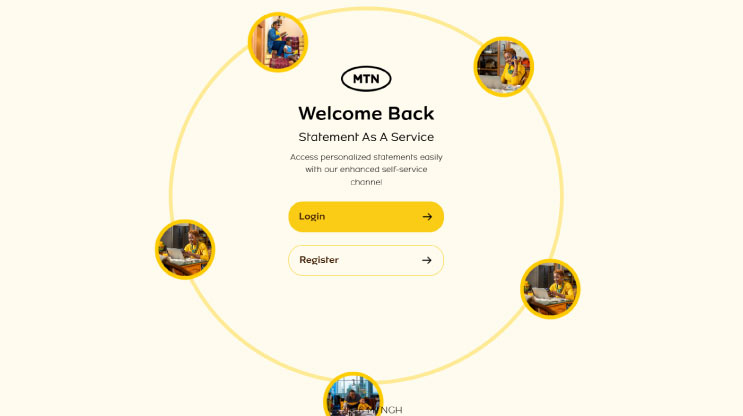
You can request your MTN MoMo statement through the MTN statements website or by dialling the MTN Momo code*170# and selecting My Wallet > Statements > Statement Request.
If you haven't signed up for the MTN Statement, use the link below to register for your statement.
To register, you will need your mobile money account number and a new password.
The MTN Statement website lets you view and download your statement.
The shortcode method asks for an email address. You do not need to install an app to use either method.
What Is a MoMo Statement?
A MoMo statement is a record of activity on your mobile money account over a selected period. It can help you check a payment, review spending or organise your business records. It is like a bank statement. You can also include it in your visa application form as a source of funds.
If you sell clothes through WhatsApp, you could compare the month's statement with your order list to help match customer payments to orders.
Method 1: Get Your MoMo Statement Online
- Visit statements.mtn.com.gh.
- Select Register if you do not already have an account.
- Enter your MTN number and create a password.
- Enter the one-time password (OTP) sent to your phone to complete registration.
- Return to the login page and sign in.
- Confirm your login with the OTP sent to your phone.
- Select MoMo Statement.
- Choose your start and end dates, then submit the request.
- Wait for the SMS notification that your statement is ready, then view or download it from the platform.
Keep access to your registered phone number while using the service because verification depends on receiving the OTP.
Download It Before It Expires
Completed requests remain available on the platform for 24 hours. After that, you need to make another request. Save your statement once it is ready.
Method 2: Request Your Statement Using *170#
- Dial
*170#on your MTN line. - Select 6: My Wallet.
- Select 4: Statements.
- Choose 1: Statement Request.
- Enter your MoMo PIN when prompted within the menu.
- Enter your current email address and confirm it.
- Enter the start date in the requested day, month and year format.
- Enter the end date and follow the remaining prompts.
Double-check your email address before confirming the request. You don't want a stranger to receive your financial records.
How Many Months Can You Request?
MTN publishes different limits for the two routes:
| Request method | Published limit |
|---|---|
| Online platform | Up to 90 days per request; make separate requests for a longer period |
*170# |
Up to 180 days per request, within a three-year history; no more than two requests daily |
What If Your Statement Does Not Arrive?
Try these checks before submitting repeated requests:
- Online request: Check for the SMS notification, then sign back into the platform.
- Email request: Check your spam or junk folder and confirm that you entered the right address.
- Date-range error: Shorten the period to fit the limit for your chosen method.
- Expired online statement: Submit a new request if the 24-hour access window has passed.
You may also visit an MTN office to request for a statement, make sure you carry you ID with you.
Keep your PIN and OTP private. If you share a statement to resolve a payment issue, avoid exposing unrelated transactions or other people's phone numbers.
A Simple Habit for Small Business Owners
Download a statement regularly and give it a clear filename, such as momo-statement-august-2026. Keep it alongside the receipts and order records for that period.
This makes it easier to investigate a payment later without searching through months of messages.
For other useful phone commands, see our guide to mobile-network shortcodes in Ghana.