How to Activate an MTN eSIM in Ghana: Cost and Setup Steps
You can request an MTN eSIM in Ghana through the myMTN app or the MTN eSIM request website. If you do not have the app, use the website to start your request. Your phone must support eSIM before you can use it.
You can upgrade your current SIM card to an MTN eSIM. Follow the steps in this guide.
What Is an eSIM?
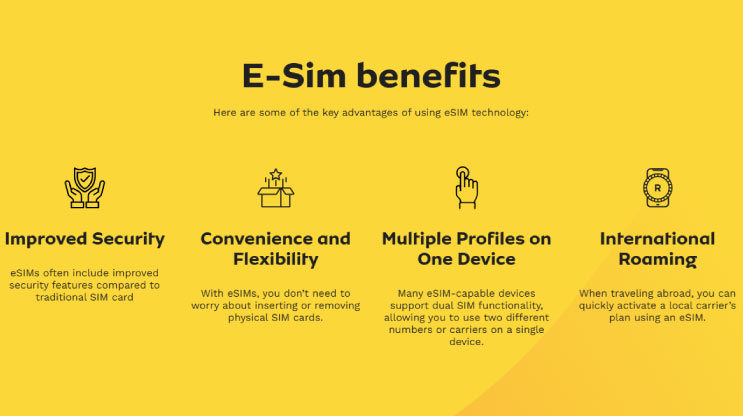
An eSIM lets you connect to a mobile network without inserting a physical SIM card. Instead, you install a digital SIM profile on a compatible phone.
How Much Does an MTN eSIM Cost in Ghana?
MTN eSIM is free for MTN users. It is available to both prepaid and postpaid subscribers. Follow the steps below to get your MTN eSIM.
Step 1: Check Whether Your Phone Supports eSIM
First, do this quick check:
- Open your phone's dialler.
- Enter
*#06#. - Look for an EID number among the device information displayed.
MTN identifies an EID as an indication of eSIM compatibility. An IMEI number alone is not the EID you are looking for.
You can also look up your phone model on GSMArena and check its specifications for eSIM support. Confirm the exact regional version with the manufacturer if you are unsure.
Step 2: Submit Your Request Through myMTN app
- Open the myMTN app.
- Select More.
- Choose eSIM.
- Complete the requested information and submit the form.
If you use myMTN Lite, the published route is Shop > eSIM, followed by completing and submitting the form.
Keep any reference number and follow the instructions MTN sends you. Submitting a request is not the same as completing activation.
Step 3: Install the eSIM When MTN Provides the Details
Follow MTN's instructions first. If MTN supplies a QR code, the manufacturers describe these installation methods.
On an iPhone
For an iPhone that is already set up:
- Connect to Wi-Fi or a hotspot.
- Open the Camera app and scan the carrier-provided QR code.
- Tap the mobile-plan notification.
- Follow the prompts to continue and add the plan.
- Enter a confirmation code if requested and supplied by MTN.
These steps follow Apple's eSIM setup guide. The wording can differ with your phone's language and software version.
On a Compatible Samsung Galaxy
- Open Settings.
- Select Connections > SIM manager.
- Tap Add eSIM.
- Choose Scan QR code and scan the code provided by MTN.
- Follow the remaining prompts.
After activation, test an outgoing call, an incoming call and an SMS. If you have an active data bundle, switch off Wi-Fi briefly and check mobile data too.
How to Request an MTN eSIM Without the App
You do not need to download the app to start your request. Open the MTN eSIM request website in your browser and follow these steps:
- Start setup: Tap Get Started to begin the activation process.
- Check compatibility: Confirm that your device supports eSIM using the checks above. Support depends on the exact model and regional version.
- Connect to the internet: Stay connected to a stable internet connection throughout setup.
- Download and install: The system will provide a QR code. Scan it and follow your phone's prompts to download and install the eSIM profile. Use the iPhone or Samsung instructions above where applicable.
- Activate: Wait for your device to register on the network. The setup guidance gives an estimated time of 1–2 minutes, although activation may take longer.
- Confirm activation: Check for a network signal or your carrier's name at the top of your screen. If neither appears, restart your device and check again.
Keep any confirmation or reference number you receive, then follow MTN's instructions to complete activation.
If you need help, call 100 or email [email protected]. If activation fails, give support any reference number, your phone model and the exact error message. Avoid posting your QR code, account details or verification codes in a public comment.
Before You Switch
Choose a time when you can test the line afterwards, especially if customers use the number to reach you. Ask MTN about any interruption to calls, SMS or linked services before approving a SIM change.
If the phone does not show an EID or an option to add an eSIM, confirm compatibility with MTN and the manufacturer before proceeding.
For more everyday phone shortcuts, see our guide to mobile-network shortcodes in Ghana.